



Surveys in Sugester – a short beginner's guide
How do you find out if clients are satisfied with your services? How do you compare which product is most popular? How do you learn what employees think about your company? The answer is simple — give them a survey to fill out.
A survey is the simplest way to measure client satisfaction, gather opinions on products or services, collect demographic data, or gather employee feedback.
Creating a survey is neither difficult nor time-consuming. The important thing is knowing what you want to ask and who.
In this short guide you will find:
Think about the list of questions you will add to the survey
What questions you add to the survey depends on why you're running it, who your target audience is, and what information you want to get.
Here are our suggestions for questions you can include in the survey:
- Open questions - allow freely expressing opinions and adding comments, for example: "What do you think we could improve to better meet your expectations?"
- Closed questions (single choice), where you select one from the available answer options, for example: "Are you satisfied with our products? (Yes/No)"
- Closed questions (multiple choice), where you can select several answers from the available options, for example: "Which of our products do you use regularly? (Select all that apply)"
- Rating scale questions, where you rate a specific product or service feature on a numeric or verbal scale. For example: "Rate the quality of our customer service on a scale of 1 to 5, where 1 is very poor and 5 is excellent."
- Demographic questions, which let you collect information such as age, gender, education level, marital status, etc.
- Ranking questions, where you order several options by importance or preference, for example: "Rank the following factors by their influence on your purchase decision: price, quality, brand, other customers' opinions."
Create the survey using a template available in the builder
If you already have an outline of your survey, you can get started. First check that you have the Forms module active in Sugester (yes, no mistake — you need active Forms to create surveys).
If you don't see the Forms tab in the top bar of your account, go to Settings → Modules and activate Forms.
How to add a survey in Sugester?
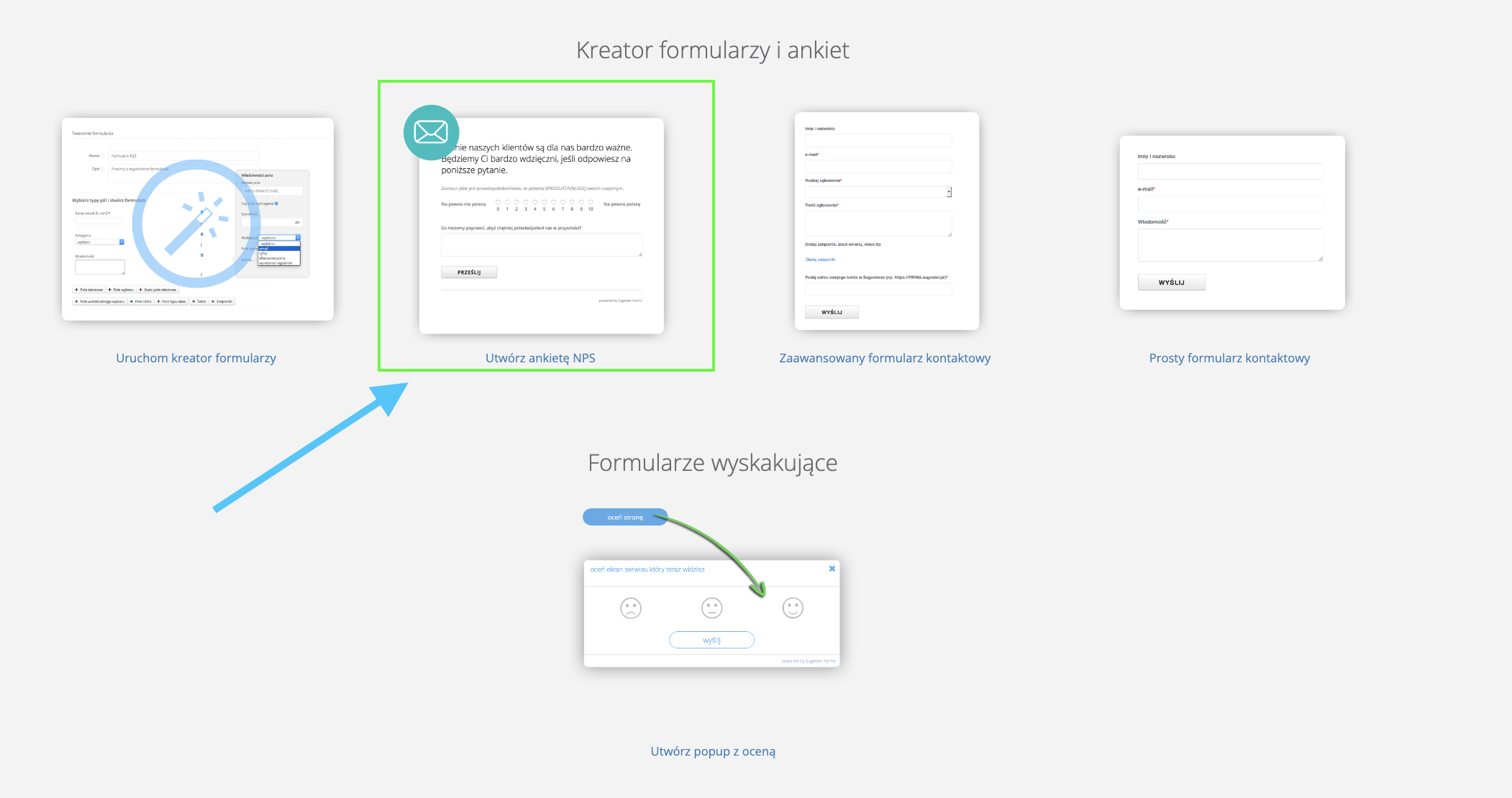
- Go to the Forms tab and click the Add button
- In the form builder, select Create NPS survey

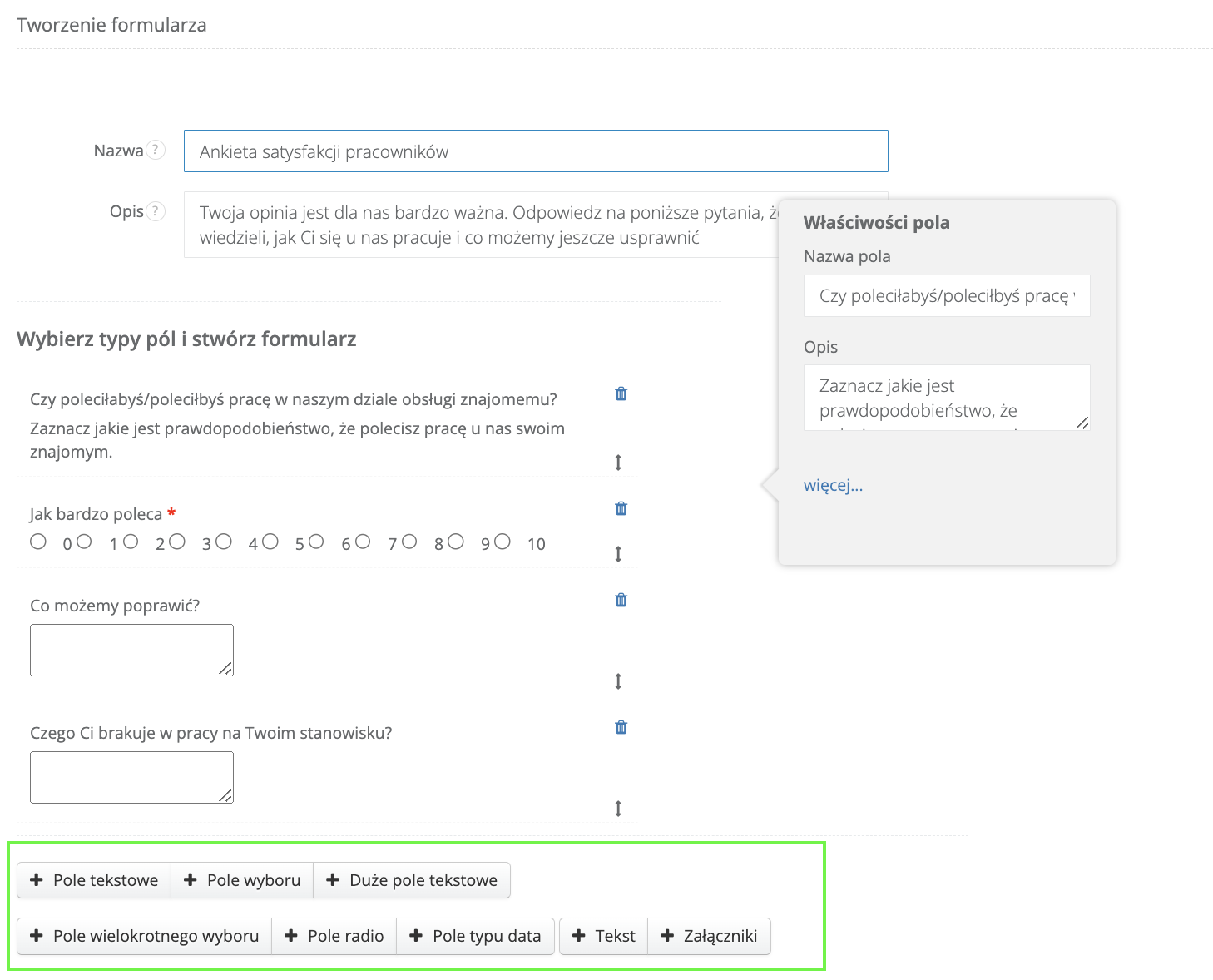
- By default you have several fields provided. You can use them by simply changing the field headers, or remove some and add your own
- Add more fields using the buttons below the survey creation form

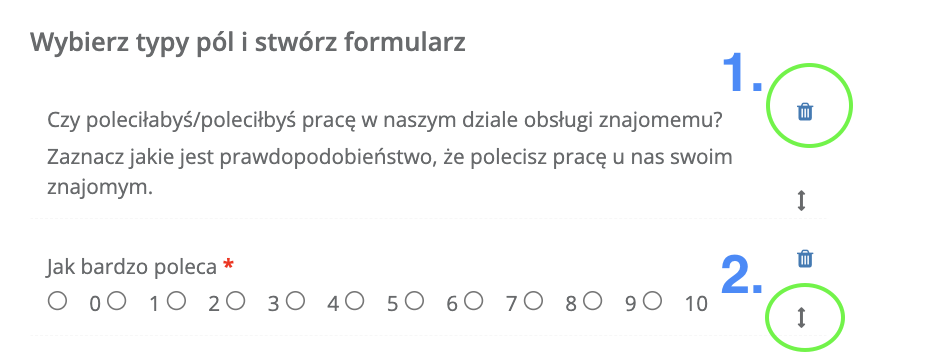
- If you want to delete a field, use the trash icon; to move it to a different position, use the arrow
- When you have added all the necessary fields, expand More options to fill in a few more details:
- Create a message thanking respondents for completing the survey and presenting any next steps
- Enter which company email address should receive a notification when someone completes the survey
- Enter the URL to be displayed after the survey is completed (e.g., your website)
- If you want a CRM client to be automatically created from the survey, use the client mapping option
- If you're planning an anonymous survey, check the Anonymous form checkbox
Done! You've just created your first survey.
Customize the survey appearance with custom CSS styles
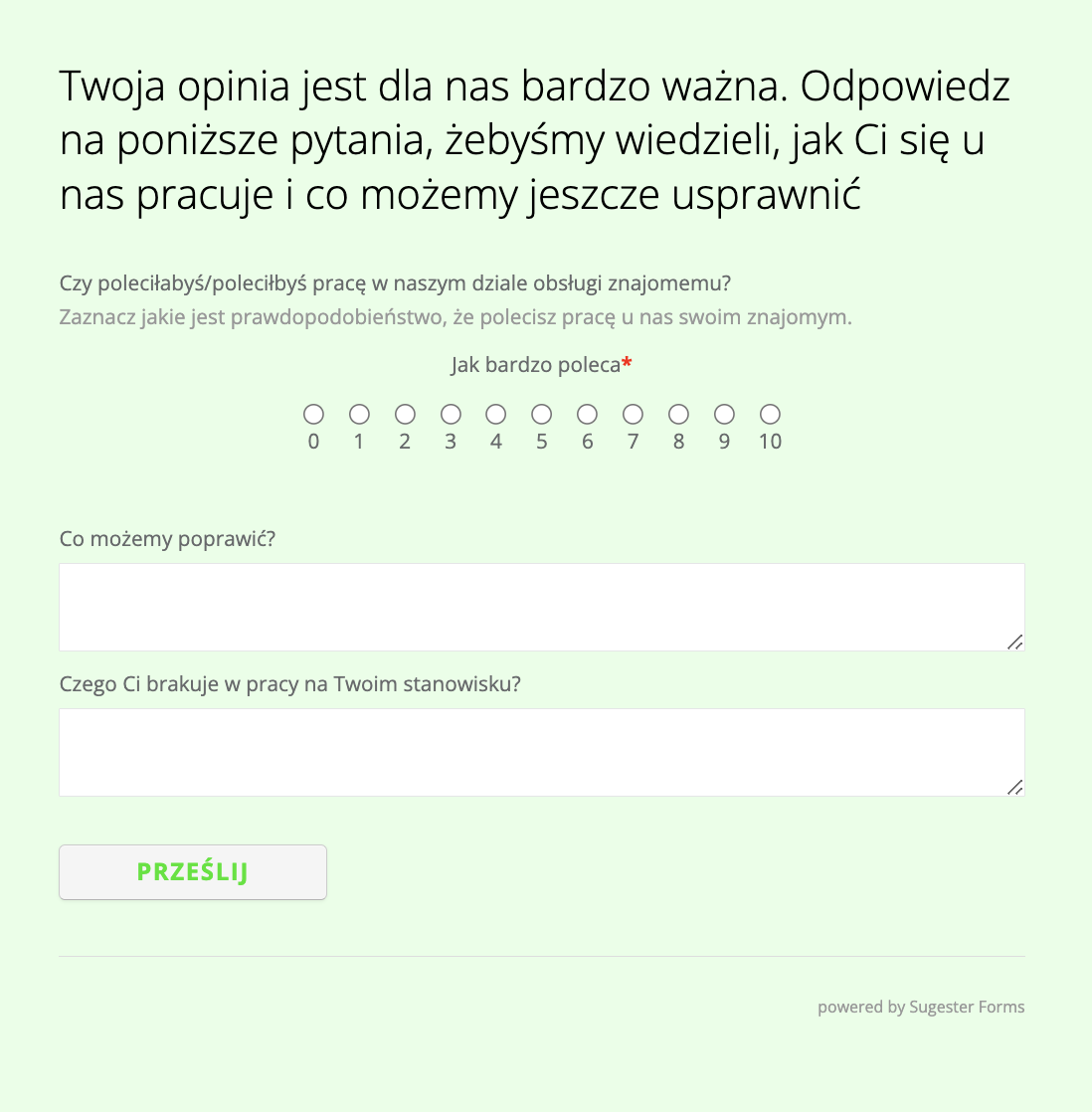
If you use our survey builder, your survey is visually ready to send to clients or employees.
However, if you know CSS, you can completely change the appearance of your survey — add colors, change font color, add a company logo, and all the other elements associated with your brand.
See also: How to build brand visual identity using Sugester
Fields for entering custom CSS are found by expanding More options in your survey.
Share the survey with clients by embedding it on your website or sending a mailing
If your survey is ready and you want to share it, you can do so in 2 ways:
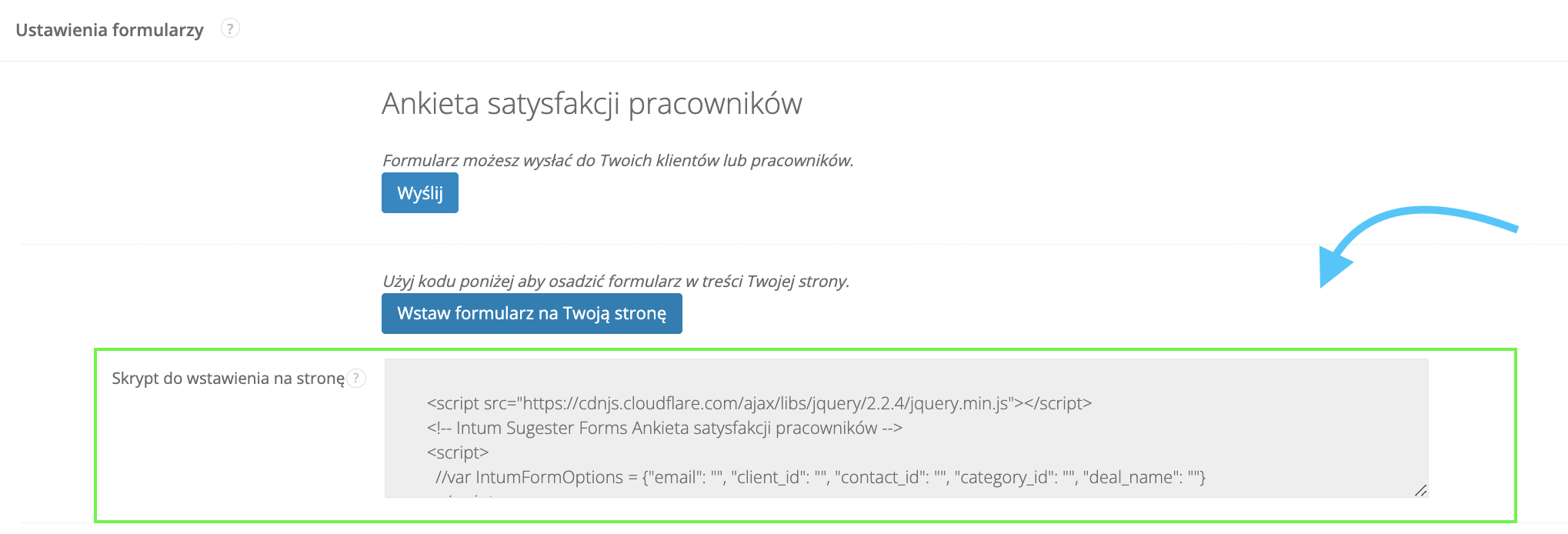
Add the survey script to your website
This way, anyone visiting the site will see the option to leave their opinion. You can place the survey anywhere on the site or on a subpage, for example if the survey is topic-specific and concerns only a certain group of your products.
Send a link to the survey by email/mailing
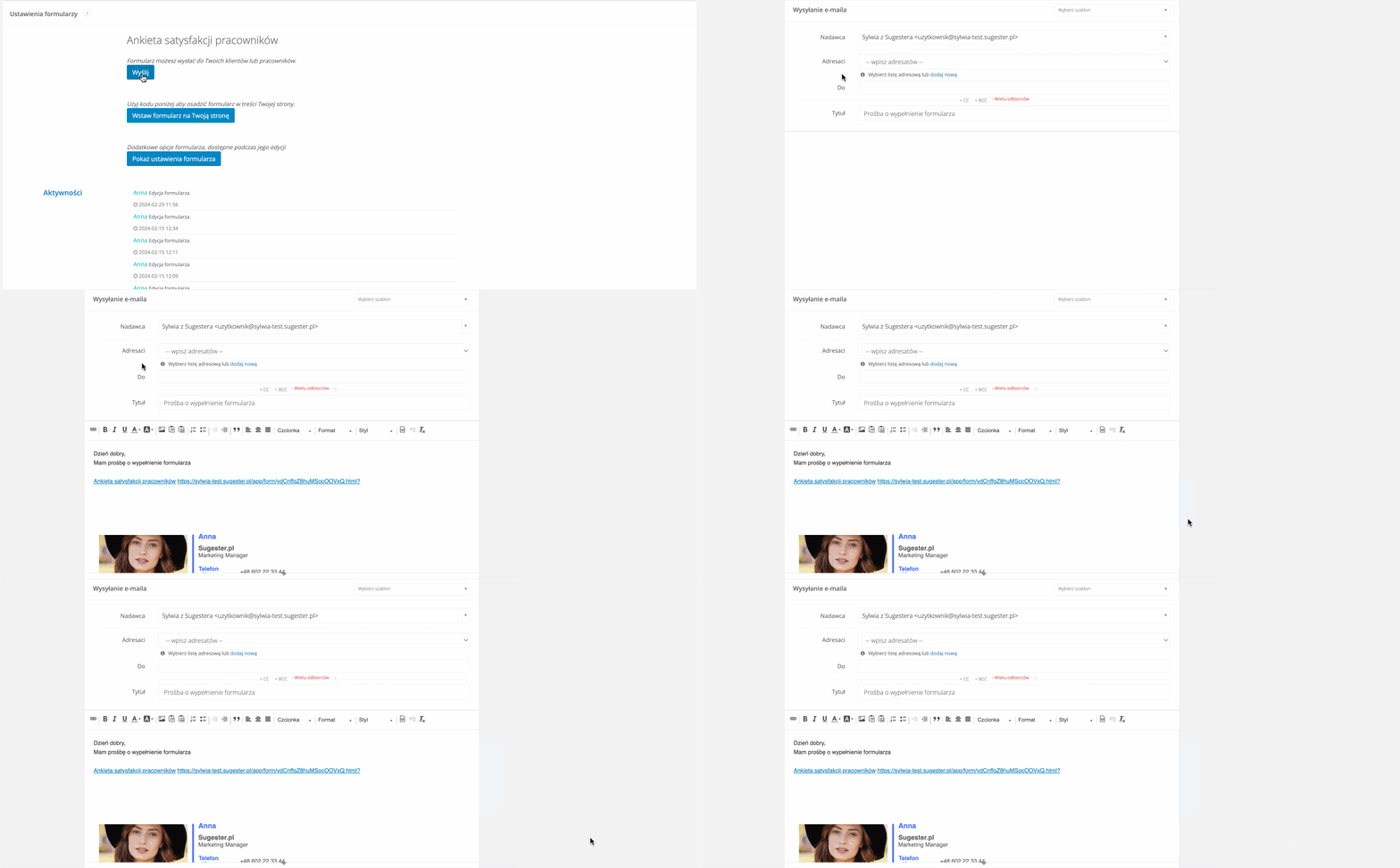
If the survey is about, for example, measuring employee satisfaction, you can send them a link to the survey by email. You can choose between a single email or a mailing.
Find the link by going to the selected survey from the list and clicking the Send button.
Check respondent answers in the results table
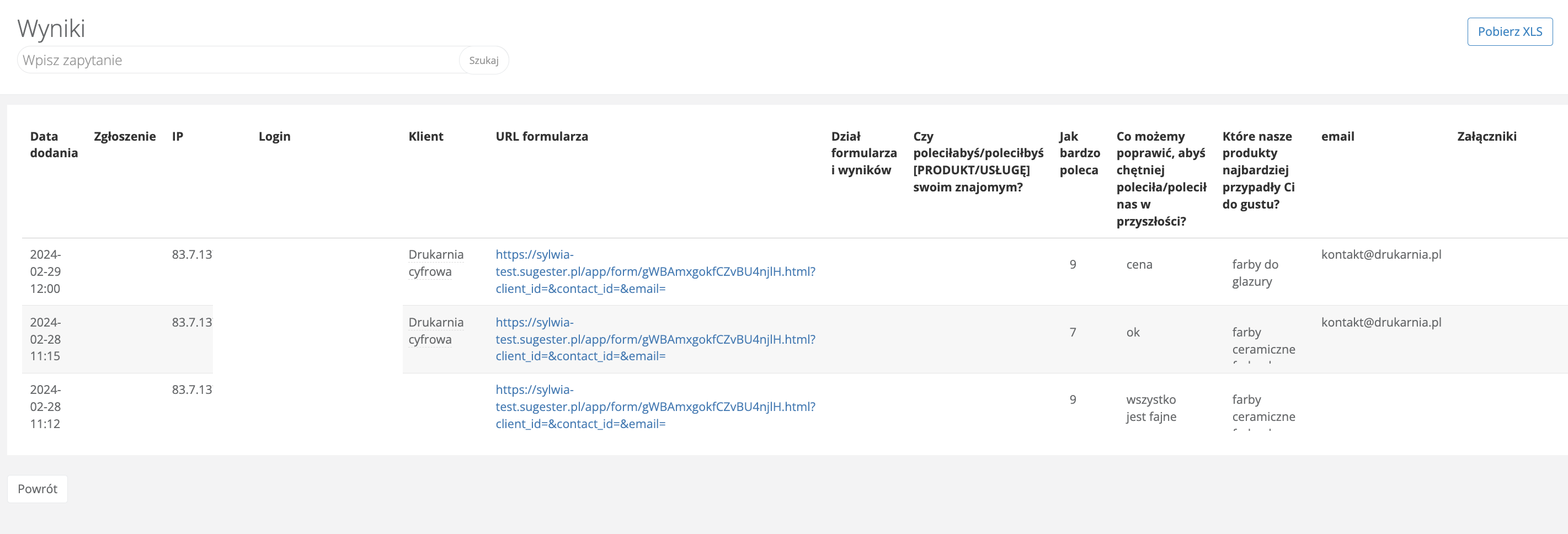
To analyze survey results in Sugester, use the results table found by clicking the number in the Results column on the survey list.
In the table, in addition to answers to your survey questions, you will also find information to help you read the results: the date the survey was completed, the client name (if already in your database and identifiable by email), and the survey URL.
How to read survey results:
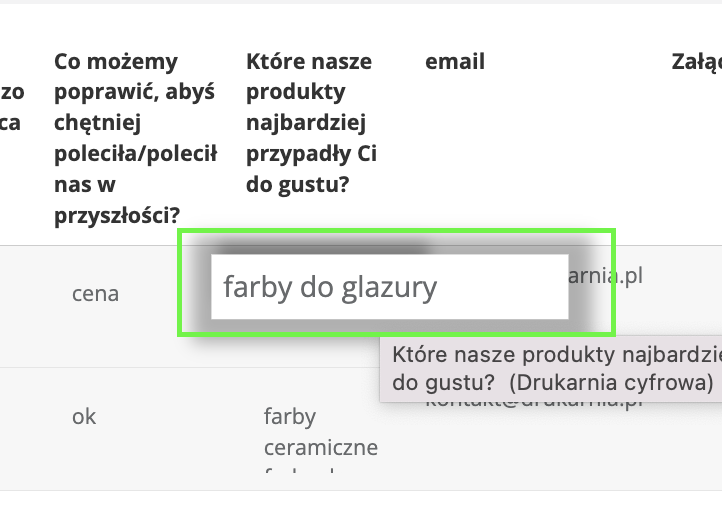
- start with a review of general statistics, such as the number of completed surveys per day, average number of answers, whether respondents answered all questions or only some. If the survey included open questions with longer answers, hover over the answer field to see the full content
- analyze answers to individual questions. Check what the most common answers are, what trends exist, and whether there are differences in answers across different respondent groups. You can help yourself by sorting results in columns — ascending, descending, or alphabetically. Just click on the header of the selected column.
- identify trends and draw conclusions from the survey. Try to answer: What do these data show? What are the main causes and effects? What is worth improving?
Finally, make a list of conclusions from the survey and plan what can be improved and when.
Additional benefits from integrating surveys with the CRM and helpdesk module
Surveys in Sugester are integrated with the CRM module and email, allowing you to comprehensively manage client data and automate certain actions based on collected survey information. A link to the survey completed by the client is available in their CRM profile. This not only gives you quick access to their survey answers but also tells you about their general engagement level by the number of surveys they've filled out for you.
What actions are enabled by integrating surveys with other system modules:
1. Automatic client profile update
Surveys in Sugester work the same way as forms, so you can also map them to a client, for example. This means data entered by the client in survey fields will be saved in the corresponding CRM fields, making it easier to personalize communication and service, and to collect new contacts.
See also: 6 interesting ways to use forms
2. Client segmentation
Clients interested in a specific product can, for example, be tagged with an appropriate label or placed in a dedicated group.
See also: Client segmentation – who is your ideal client?
3. Personalization of client communication
You can, for example, send personalized offers or marketing content based on the client's preferences expressed in the survey.
4. Client and employee satisfaction measurement
Surveys can be used to regularly monitor client satisfaction, with results analyzed in the context of data gathered in the CRM module. This allows you to quickly respond to signals of client dissatisfaction and take appropriate action.
You can also conduct satisfaction surveys among your employees to find out what they like and don't like about working at your company. Such a survey can be anonymous, so no one will feel stressed and answers will be honest.
Creating surveys in Sugester is not complicated. You just need to think about who you want to ask, formulate clear questions for the respondents, and share the survey with as wide an audience as possible so you can compare results and draw conclusions.
As part of your Sugester account, you have another free tool that helps you find out what others think about you.