



Company Knowledge Base — Necessity or Unnecessary Detail?
Online you can find various terms for it — company wiki, repository, know-how hub, or simply a collection of information and documents.
A knowledge base is a place where you can post detailed product descriptions, feature explanations, update notes, as well as procedures and guidelines.
How is it different from binders full of documents, lengthy manuals, or paper guides? It is accessible from anywhere, at any time, and updating its content takes just a few mouse clicks.
Below is a list of 9 key benefits of having a knowledge base that should convince you to start building your company’s knowledge base today.
1. Access to customer questions and answers 24/7
A knowledge base is accessible anywhere, at any time. The only requirement is internet access.
Customer support teams often work set hours, frequently five days a week. Meanwhile, customers search for information online around the clock — regardless of weekends, holidays, or Friday afternoons.
Each of us is a customer and knows how it feels to be left on our own — without answers and without support from a manufacturer or service provider. Interest quickly fades and eventually shifts to a competitor. To avoid this scenario, it is worth providing customers with a knowledge base where they can freely access information without any time restrictions.
Tip on how to share your knowledge base with customers:
- Public knowledge base — accessible to anyone visiting the page. Simply go to the knowledge base configuration and set the "Who can browse the knowledge base" field to allow everyone access.
- Knowledge base for a selected group — you can build a knowledge base for a specific community, such as users who register on your website. To do this, set the "Who can browse the knowledge base" field to "Registered users only" in the knowledge base configuration.
- A link to the knowledge base can be added as a new tab, e.g. "Help", in the main navigation menu on your website.

2. Self-education and independent problem solving
Customers enjoy educating themselves and solving problems on their own. First, they can revisit the information they find whenever they need it. Second, while browsing they often come across an interesting article they had not seen before.
They can also read through the knowledge base content at any time, pause whenever they like, and return to the topic when it suits them. Another major advantage is that customers do not need to read it from cover to cover like a book — they can go straight to the topics relevant to them at that moment. They still gain knowledge, but without having to wade through a pile of information that is not currently relevant. Each article in the knowledge base is a separate entry, but together they form a cohesive whole organized into thematic categories.
One more thing — the more information customers can find on their own, the less often they will contact us with trivial questions, and the topics that do reach the customer support team will be more personalized and substantive.
Tip on how to use post categories in the knowledge base:
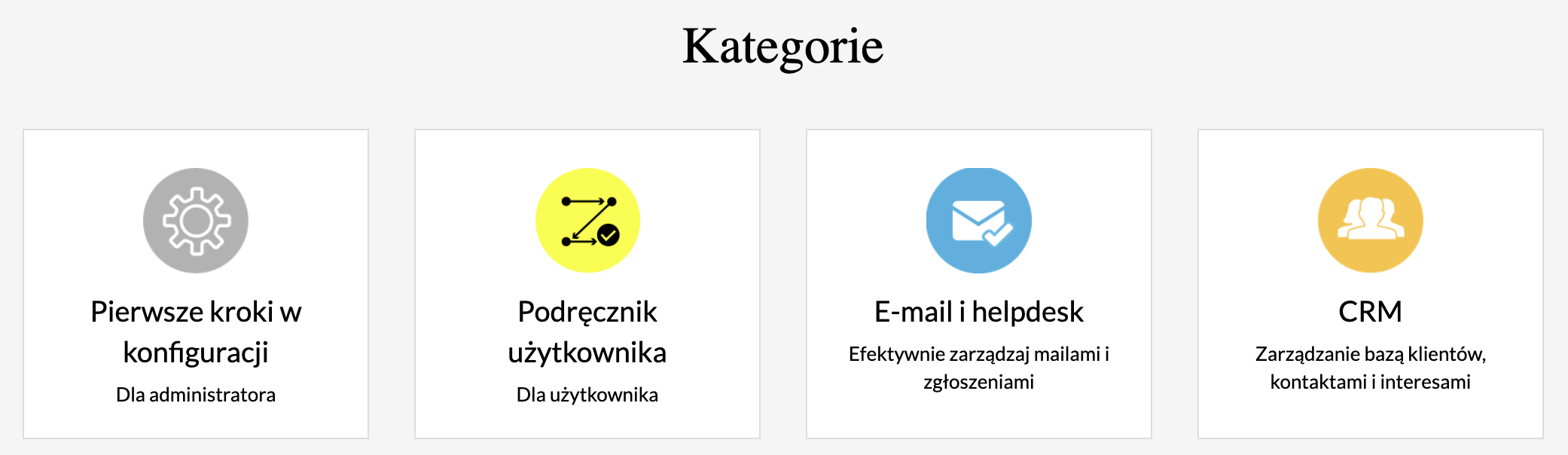
- Categories should group the topics you want to include, e.g. "Q&A", "Solution examples", "Updates", "Documents for download".
- Categories can be divided into more detailed subcategories.
- A new category can be added at any time and posts can be moved into it.
- When creating a knowledge base post, you can immediately assign a category by filling in the "Category" field.
- You can add an image or photo to a category to make it more easily associated with the topics it covers.

3. Education through various formats — text, instructions, video, graphics, photos
Different things resonate with different people — some prefer reading lengthy articles, others like condensed how-to guides, and some prefer video content.
A knowledge base meets all these expectations — entries can be of varying lengths, accompanied by graphics and instructional videos. This variety in content delivery reaches a wider audience.
With a simple editor, any text can be formatted — choose font size and type, use bullet points and numbering, paste a screenshot or web graphic, and embed a prepared video.
Videos and screenshots are not a big deal — a simple tool installed on your computer is all you need. If necessary, articles can be enhanced with scans, forms, or templates added as attachments. This is a much more accessible way to find needed documents than discussing them over the phone.
Tips on adding screenshots/videos to posts and which tools to use:
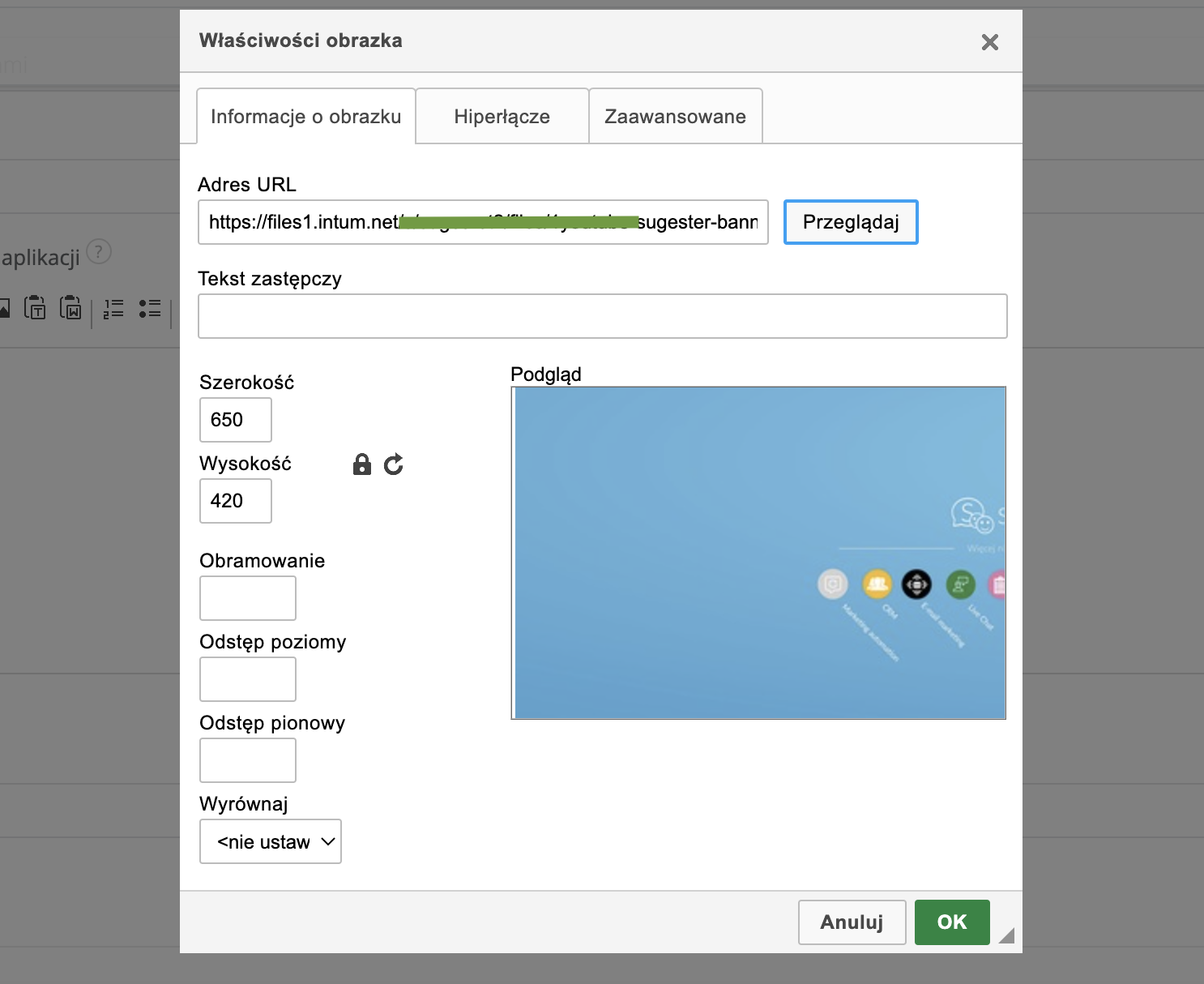
- Any screenshot/graphic/video must first be added to the Files section in Sugester before it can be added to a post.
- Once a graphic has been added to files, click the image icon in the editor, then the "Browse" button and select the graphic you want to add to the post.
- Example tools for screenshots and screen recordings: Nimbus, Awesome, LICEcap

4. Access to updates and new features
A knowledge base provides quick and easy access to all kinds of information. In addition to thematic sections, FAQs and answers, you can also dedicate space to all sorts of updates and new features. This keeps customers informed about changes, gives them a reference point they can return to at any time, and means they do not have to search through emails or call support — they just click the relevant section in the knowledge base.
Tip on how to create an updates/news section:
- In the knowledge base configuration, select "Categories" from the left-side list and click "Add category".
- In the new window, enter the category name and description, e.g. "News, updates and system fixes".
- In the "Image" field you can upload a graphic related to the updates topic.
5. The ability to add SEO-friendly content (which will drive more traffic and attract potential customers)
Knowledge base posts, just like content on your company website, appear in Google search results. When well written and presenting unique, valuable content, they rank highly in search results. Knowledge base entries also help direct traffic to your site and reach potential customers.
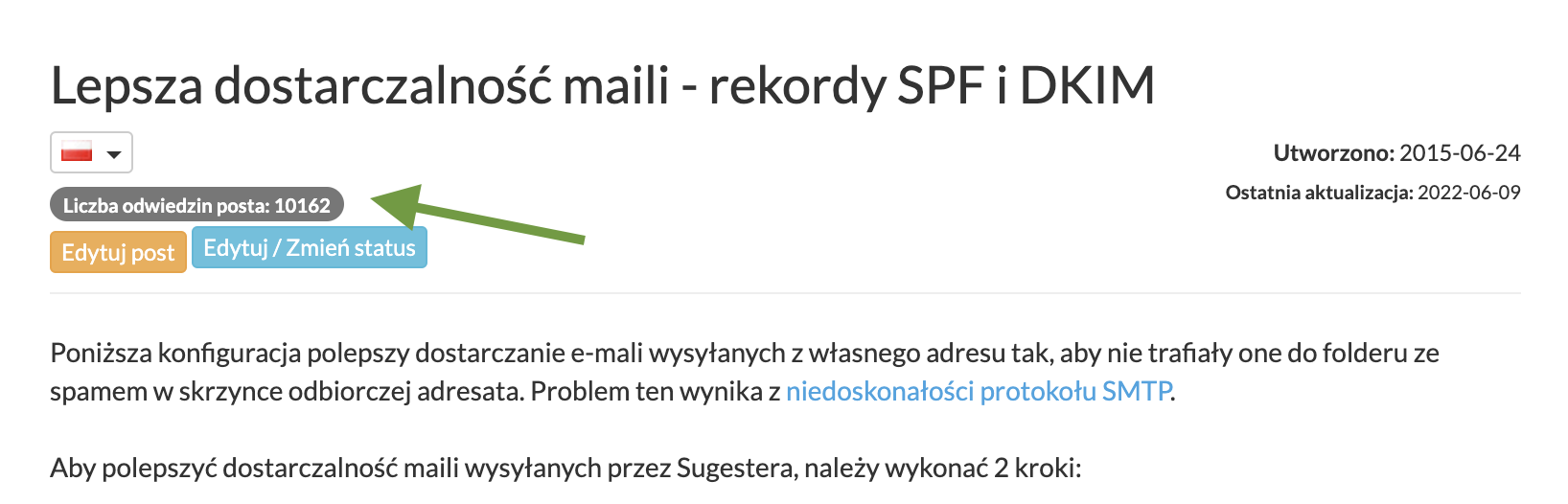
Additionally, the number of page visits is visible for each post, allowing you to see which topics are most popular. This insight helps you refine your content and suggests which subjects are worth developing further.
Tip on how to monitor the most popular content in your knowledge base:
- All the most popular posts are shown in the "Popular" column on the knowledge base homepage, below all categories.
- You can also check popular posts within a specific category by entering that category. The most-read posts will appear on the right side under "Popular".
- When viewing an individual post, the visit count is displayed below the title.
Benefits from the employee’s perspective — the internal knowledge base
6. Faster response time to customer inquiries
Customer support involves much more than just receiving and resolving tickets — it also means handling questions about documentation, payments, how the service works, complaints, and more. The support process is significantly faster when an employee has a centralized collection of all the information and documents needed to provide a thorough response.
All it takes is typing a search phrase into the search bar or browsing the relevant category to quickly find the answer.
If a post contains all the necessary information, it can be copied and sent directly in an email or chat message. In addition to the internal knowledge base, an employee can also refer to the customer-facing knowledge base. They can simply send the customer a link to the relevant topic and resolve the matter on the spot. The employee not only answers the customer’s question but also educates them at the same time — which means the customer will know where to find the answer next time and will not return with the same question.
Tip on how to search for information in the knowledge base:
- The best approach is to use the knowledge base search bar.
- To search for a specific topic, type it into the search bar.
- You can also search for related topics by entering just part of the search phrase. For example, typing "cycl" into the Sugester knowledge base search will return all posts that match that term.
7. Access to verified information without involving third parties
Even the most senior employee does not need to know the answer to every question or remember everything. By giving employees access to an internal knowledge base, you give them a tool to find information independently, without needing to involve managers or teammates.
Procedures and case-handling guidelines stored in the knowledge base also make it easier for employees covering for absent colleagues.
It also happens that an employee who was solely responsible for part of a process leaves the company, taking all the related knowledge with them. To protect yourself from this situation, it is worth documenting every process, procedure, and case and organizing them thematically in the knowledge base.
Tip on how to start building an internal knowledge base:
- It is best to assign one person to handle this so that the writing style remains consistent.
- Choose a consistent way of addressing the reader — second person (e.g. "you") or an impersonal form (e.g. "one can", "you should").
- Add categories that will group posts thematically.
- It is best to start with simple posts to develop your own style.
- Some posts can be created by copying the content of a customer reply email, removing the customer’s personal data, and editing the text so it reads clearly and consistently.
8. Employee education
An internal knowledge base not only helps organize knowledge for employees but also supports continuous learning. Employees learn faster and do not waste time searching for information or documents scattered across long-forgotten folders and emails. All changes to terms of service, pricing, or support processes can be included in the knowledge base. Whenever the company undergoes changes, simply write a knowledge base post, assign it to the relevant category, and send the link to your colleagues. Everyone can read it at a time that suits them.
A well-informed employee is a satisfied employee. And a satisfied employee delivers high-quality service — which in a competitive market can tip the scales in your favor.
Tip on how to keep employees informed about important changes:
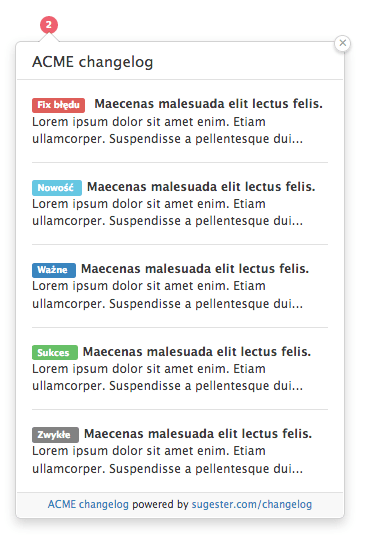
- Simply activate the "changelog" feature to display a notification about new features, changes, or important posts to app users, shown as a red circle with a number in the top-right corner of the system.
- Any knowledge base post can appear in the changelog — simply check the "Show in changelog" checkbox when creating the post.
- Knowledge base posts, like other posts in Sugester, can be assigned statuses. With statuses such as "Important notice", "Update", "Vacations", etc., a user can tell at a glance — before even opening the post — what the notification is about. This ensures no important information gets missed by anyone.
9. Easier onboarding of new employees
An employee knowledge base is invaluable in the onboarding process for new team members. It reduces onboarding costs because the new employee can absorb a large portion of the required material independently. Furthermore, knowledge delivered this way — organized and gathered in one place — allows the employee to pace their learning without being overwhelmed by too much information at once. They can also return to the knowledge base at any point to review and reinforce what they have learned.
To make the absorption of essential onboarding material even more effective, you can create a dedicated "Onboarding" section in the knowledge base and arrange the relevant posts in the order in which a new employee should acquire the knowledge. You can take it one step further and create an internal knowledge base dedicated exclusively to onboarding materials, with access granted only to new employees.
Tip on how to create multiple knowledge bases on one Sugester account:
- Whenever you want to create a new knowledge base — whether for employees, customers, or another target group — simply click "Add knowledge base" in the Knowledge Bases tab in the top menu. This is also where the list of all knowledge bases on your Sugester account will be available.
- When adding a knowledge base, you can customize the URL under which it will be accessible.
- You can also set up a knowledge base under your own domain, which means visitors and employees can access it via an address on your own domain (e.g. help.yourcompany.com instead of yourcompany.sugester.pl/help).
We hope these 9 benefits, along with a handful of practical tips, will inspire you to build your first company knowledge base.
A thoughtfully built and consistently maintained knowledge base will pay off — not only by raising customer awareness of your product, but also by improving the flow of information within your company and streamlining the onboarding of new employees.