In the dynamic business environment, effective project management is key to success. The agile methodology in particular, capable of flexibly responding to change, is very popular. No wonder - in a world where the only constant is change, the agile methodology allows teams to adapt to project requirements whenever necessary. Today's article is about the agile methodology and how agile project management looks in Sugester.
Agile methodologies focus on a flexible approach to project execution. They assume that not everything in a project can be predicted and precisely planned. Therefore, they place greater emphasis on adapting to possible changes than on rigidly following a previously established plan.
Two of the three most popular agile methodologies are: scrum and kanban.
Scrum
Scrum is a way of working that helps a team work effectively on a project. In Scrum, important elements are:
Kanban
The kanban method allows you to visualize the flow of work using a board and cards. Kanban makes it easy to visually track ongoing work and quickly identify what needs to be done and when. It is particularly effective in projects with many tasks.
The agile methodology, like any other, has its advantages and disadvantages. We will list only the main ones.
When working in the agile method:
Disadvantages of the agile methodology
The agile methodology is not suitable for all projects - especially those with very strictly defined requirements or long-term projects. In such cases, a more traditional approach may work better.
Now that you know what the agile methodology is and what its main principles are, we want to show you which tools and features in Sugester will support you in working with the agile technique, if that's what you choose for managing your projects.
In the agile methodology, creating and managing tasks are crucial for effective project management.
Creating tasks (Backlog)
Typically at the beginning, you gather requirements from the client and the team and create User Stories. In the agile methodology, User Stories are often used - they are brief descriptions of features from the user's perspective.
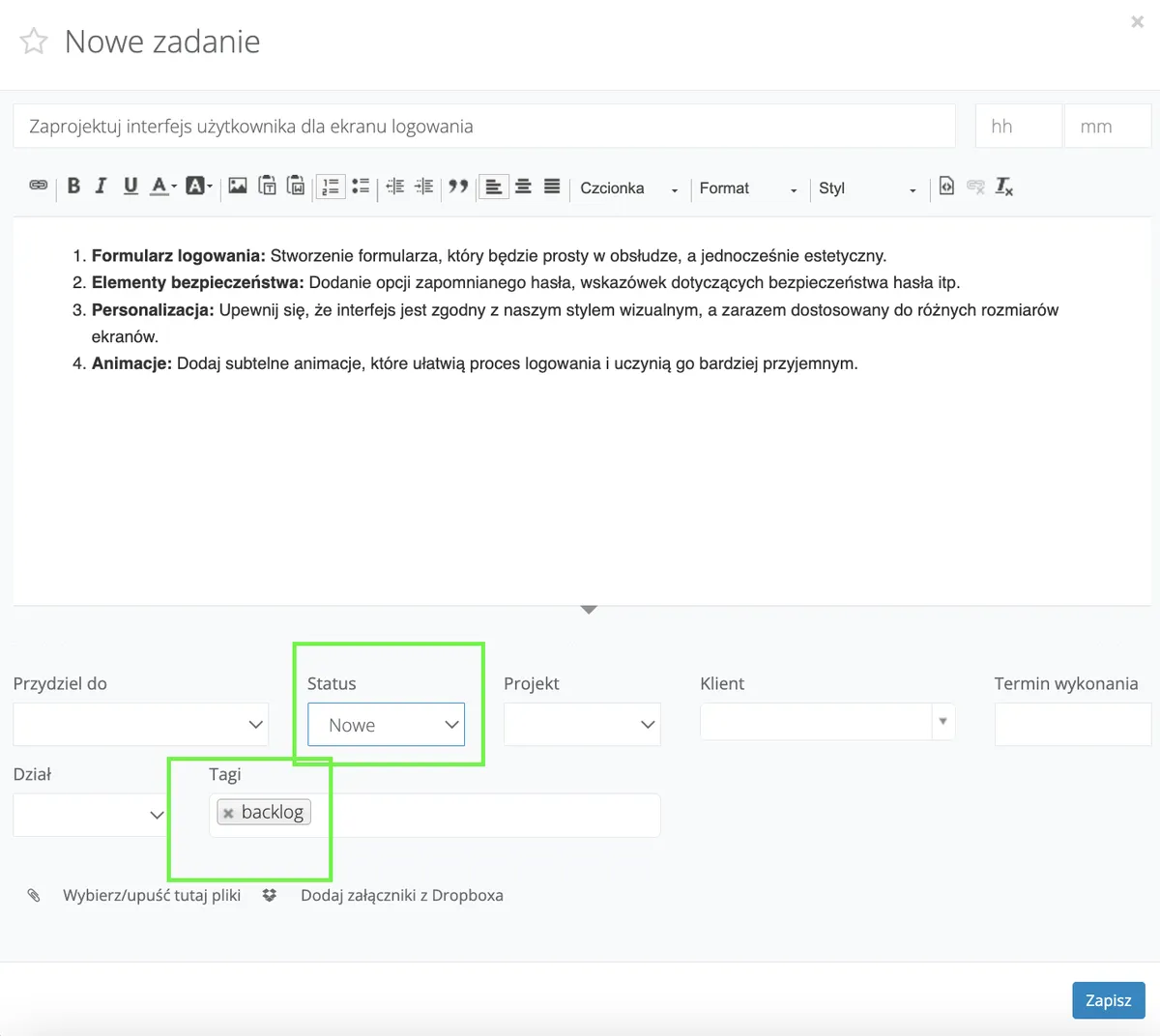
All client requirements and user stories can be recorded in Sugester as new tasks. In the task body, you can give a more detailed description of the feature, mark it with a preliminary status and, for example, a Tag "backlog". This way, you create a backlog in Sugester - a list of tasks, ideas, and suggestions that should be realized during the project.

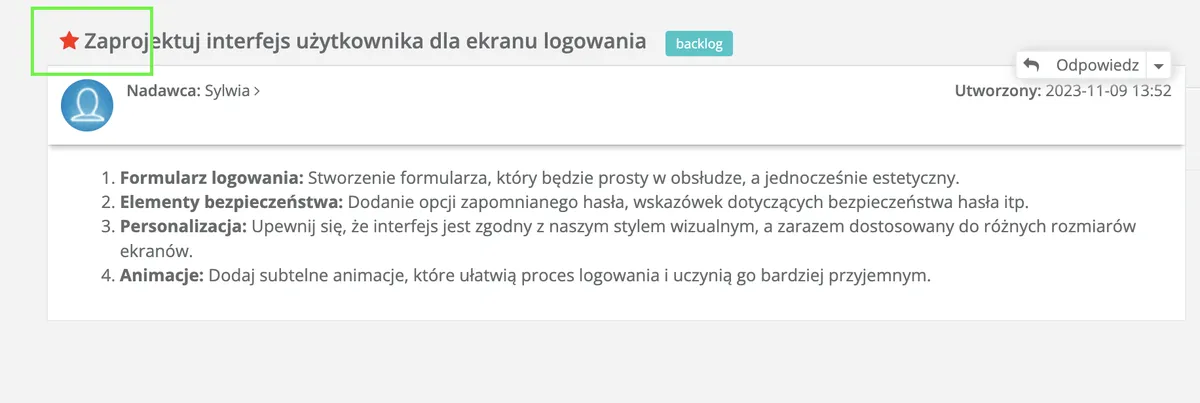
Finally, all gathered tasks are prioritized in the Product Backlog according to their value for the client or product. Priorities in Sugester are assigned by giving each task an appropriate star color.
Sprint planning
Before each sprint begins, the team selects tasks from the Product Backlog to work on over the next week or two.
The most important thing is to plan the work well, estimate how much time will be needed for individual tasks, and assess how complex they are.
In Sugester, a special tab in Projects → Scrum Sprints is used for sprint planning.
If you want to start your first sprint, you first need to:
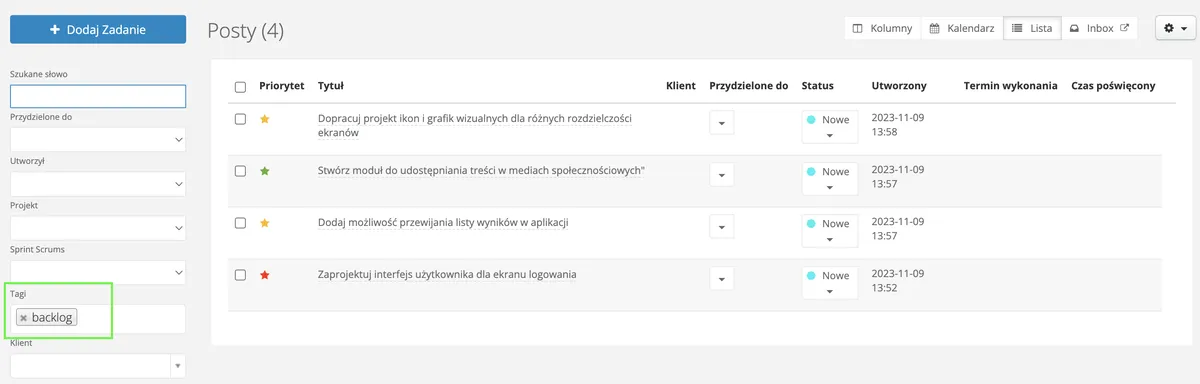
After creating the sprint, you need to assign tasks from the Backlog to the current sprint. To do this, assuming you have a backlog created, simply go to the Tasks tab and search for all tasks with the "backlog" tag. You can narrow the search results to tasks with that tag and a specific status, if you previously assigned one.
Completing tasks in a sprint
During the sprint, each team member works on the tasks assigned to them.
By changing task statuses, the person overseeing the process - for example the Product Manager - can check at any point during the sprint what stage each task is at.
In the agile methodology, brief daily meetings are also practiced, during which the team discusses progress, plans for the next day, and any obstacles. However, this is not a mandatory requirement.
During the sprint, as we already mentioned, the team tracks work progress.
In Sugester, we have several tools for this:
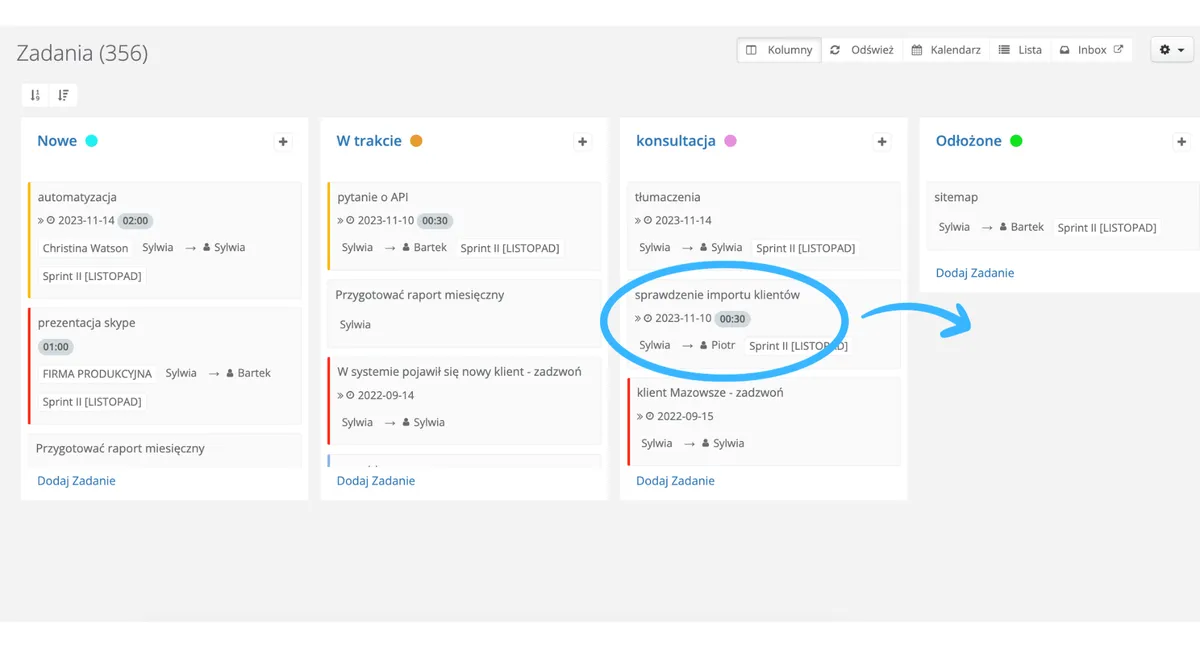
Kanban board
It enables visualizing work on the same principle as sticky notes that can be moved between sections. On the board, tasks are the cards and the sections are columns representing individual stages of task execution.
In Sugester, the columns on the kanban board are task statuses. Therefore, when managing tasks in a project, remember to change the status each time a task moves to the next stage.
You can change the status by entering the task's edit view or simply by dragging the task tile to the next column.
 This way you can more effectively monitor the progress of work, more easily determine how many tasks are at each stage, and locate the so-called bottleneck.
Time tracking
In Sugester, you can estimate the time needed to complete a specific task in the project. Work time can be approximate and defined based on previous similar tasks, or measured precisely using the time counter.
When using the agile methodology and scrums in Sugester, time is visible in the sprint view, next to each user, alongside pie charts. The system displays the estimated time and the actual time the user spent on the task (by clicking start-stop).
The exact work time spent on a given project or set of tasks can also be checked in our timesheet report. Simply enter the date range or select the project for which you want to generate the report.
See also: Timesheet report in our knowledge base.
Pie charts in the sprint overview
When entering a sprint in Sugester, next to each user is a pie chart that shows as a percentage the amount of work remaining to be completed in a given time. There are separate charts for each team member and one shared chart for all tasks in the sprint.
This means that a single glance is enough for the Product Manager to know whether the work is on track in the middle of the week or whether there is a risk that some tasks will carry over to the next week.
Team collaboration when running projects in Sugester, regardless of the chosen methodology, takes place mainly within the tasks assigned to the project. Each project team member can add their replies or comments within a task. This ensures that important ideas or notes for the project are recorded in the system.
Communication through tasks is systematic - you can clearly see which user left a comment and when. Adding a comment takes a moment, just click "Reply". Thanks to this, clarifying details takes much less time than doing so by phone or email.
Communication through tasks minimizes the risk of delays in task execution, missing essential information, or communication misunderstandings. And adding screenshots and attachments makes it easier to understand the goal and stages of task execution.
For communication with the client, traditional email is the best solution. When handling mail in Sugester, every message you receive from a client is automatically saved in CRM on that client's card. Additionally, such an email can also be linked to a specific project. You can do this from the inbox by expanding the arrow next to the "project" label on the email list.
See also: Why redirect your email to Sugester?
If you use the agile methodology for project management in your company, or are considering implementing it, you can successfully use the Projects module and Scrum Sprints in Sugester as a tool to support this technique.
From creating tasks in the backlog, through sprint planning, to effective task execution and communication with the client and team - Sugester offers many possibilities.
This post is the first part of an article about project management in Sugester. In the next article, we will show how to use the Projects module in the waterfall project management model.
