
The first step is behind you - someone has just bought your product. But that's only the beginning. To retain existing customers and win new ones, you need to ensure every user is satisfied. A well-organised helpdesk will help you do that by answering their questions and resolving their doubts.
Below you'll find a few tips from us on how to do this best.
Even the best customer service team needs a clearly structured workflow. When a new ticket appears in the system, it must be clear who should handle it and within what timeframe. A clear organisation of work on customer queries will shorten response times, increase user satisfaction, and make managing the helpdesk team easier. The best solution is one that lets you track the journey of every ticket - from creation to closure.
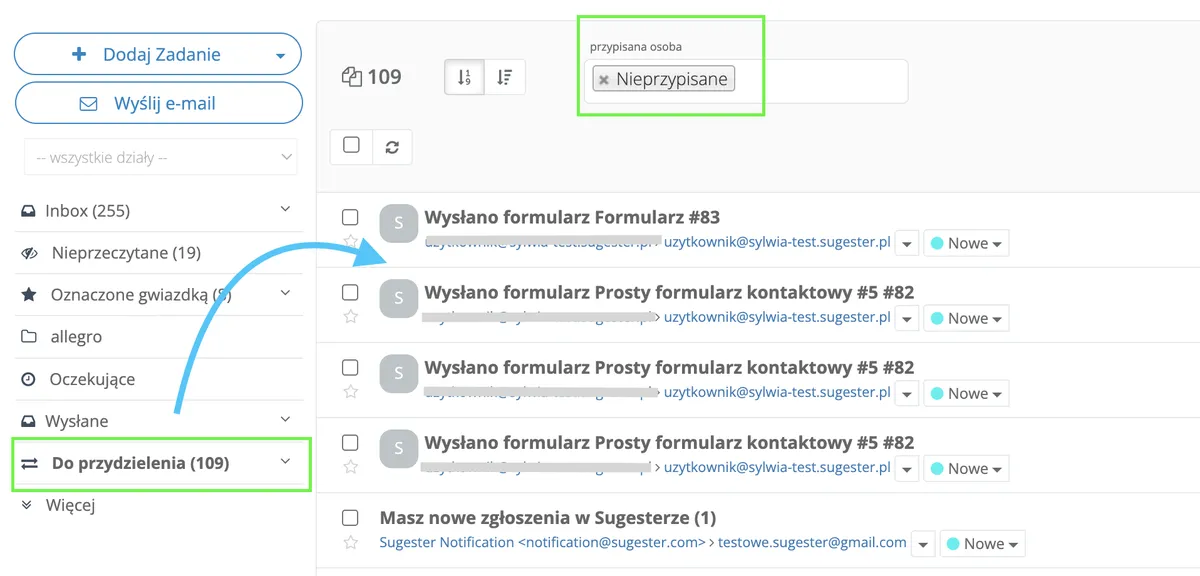
In Sugester, every customer ticket goes to the inbox, from where it can easily be redirected to the right person.
You can configure the inbox in 2 ways:

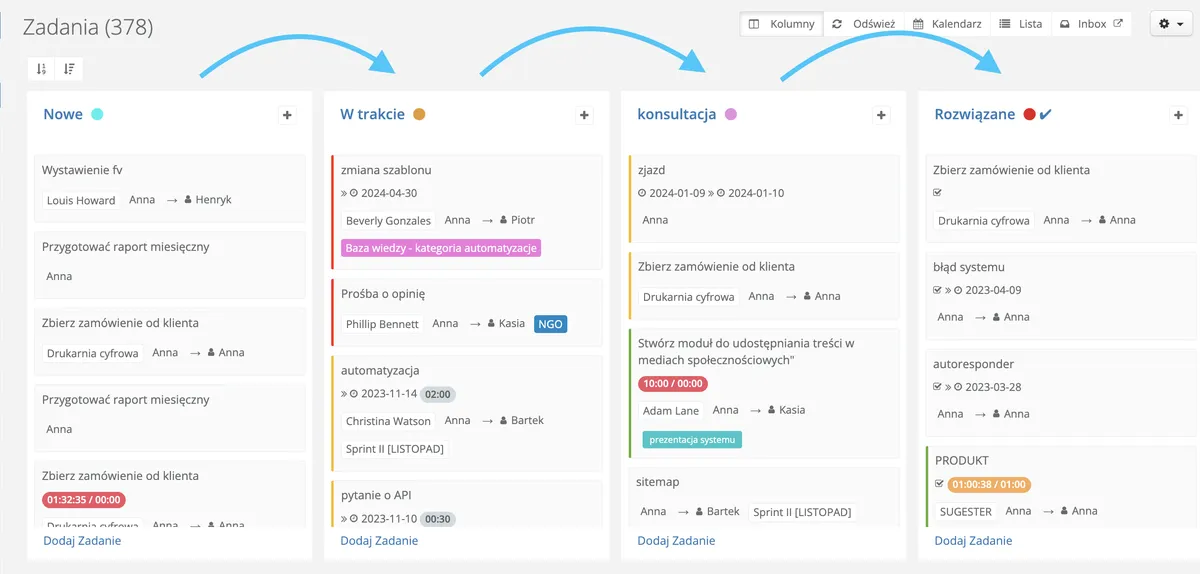
Each employee should know what the ticket resolution process looks like - from when a new ticket arrives to its completion. For the whole process to run smoothly and without stalling, it's worth dividing the work on a task into stages so that every team member knows which steps follow in sequence.
In Sugester we use task statuses for this. They ensure that each employee - both those in customer service and in the technical team - knows what is happening with a given ticket and when its resolution can be expected. This also makes it easier to provide customers with accurate information. If a customer calls to check on their issue, all we need to do is look up its current status.
You know your helpdesk team has great potential - don't waste it. Try to minimise the time spent on repetitive tasks. It's important that the helpdesk team can devote as much time and attention as possible to solving problems rather than clicking through the system.
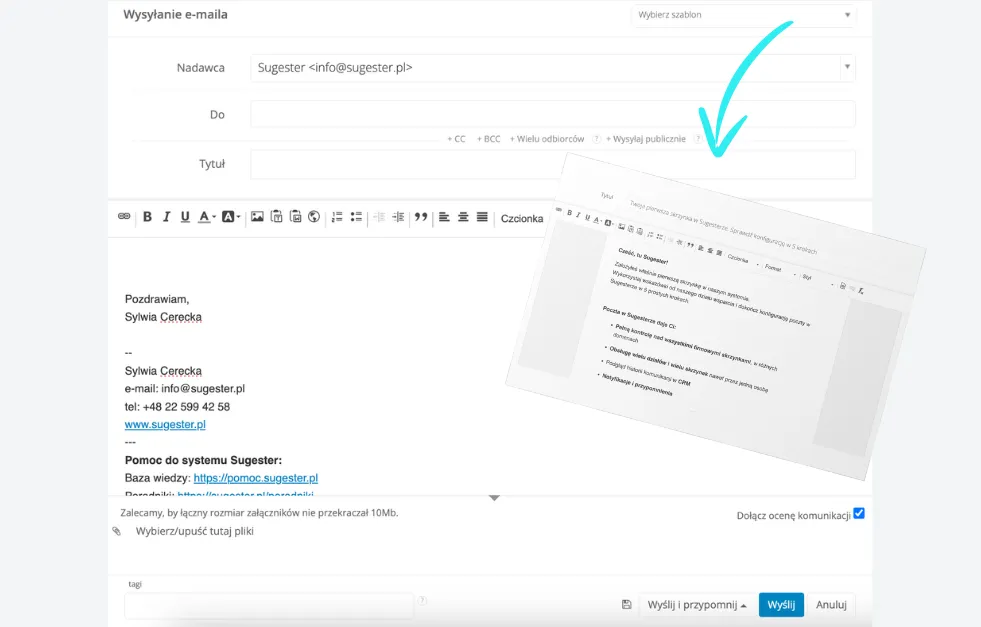
One way to cut repetitive tasks and save time for the helpdesk team is templates.
In Sugester you'll find 3 types of templates:
See also: Top 4 templates in Sugester that will help you save time
To give customers confidence that their ticket has been received, it's worth setting up an autoresponder on the email inbox. Write a brief message confirming that the customer's ticket has been received and when they can expect it to be resolved. This will significantly reduce the number of confused customers and allow your helpdesk team to get straight to work instead of spending time confirming ticket receipts.
In Sugester you can use HTML when creating an autoresponder, allowing you to customise the automatic reply to your company's needs.
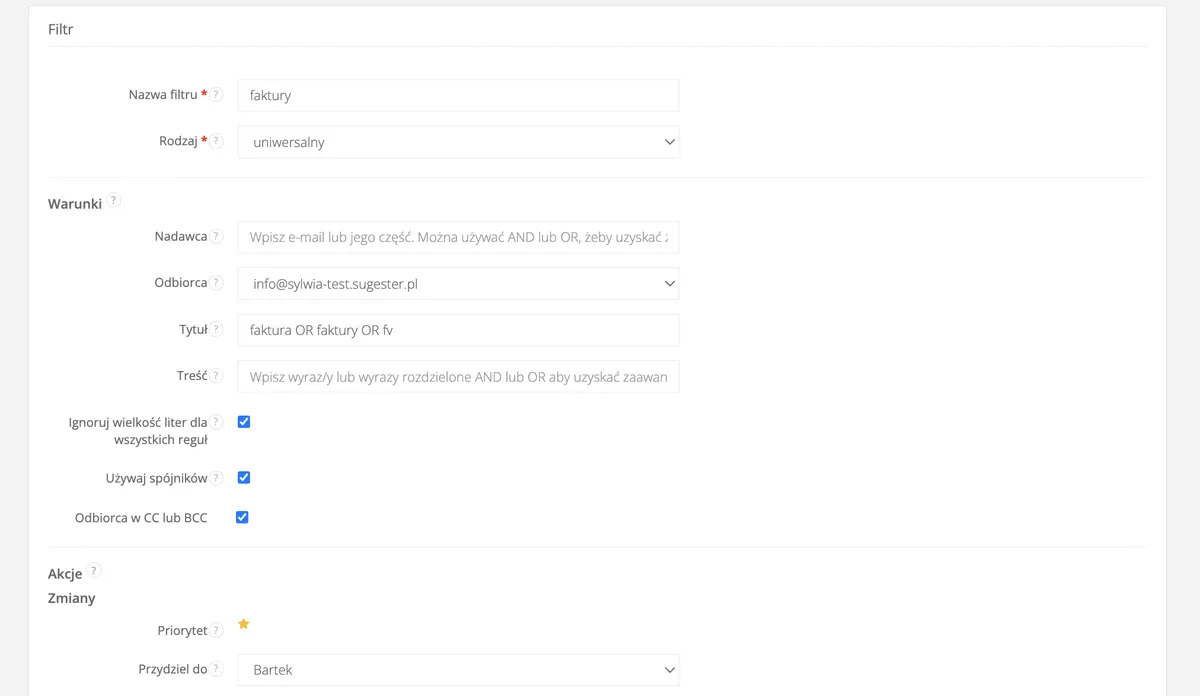
Email filters help you better organise and manage incoming messages. They allow you to automatically sort emails according to specified criteria - such as sender, subject, keywords, or attachment content - making it easier to keep your inbox tidy.
Filters can also automatically move messages to specific folders, mark them as read, or forward them to other email addresses. This helps consultants manage customer tickets faster and more efficiently, focusing on the most important messages and avoiding spam.
When using Sugester to handle customer tickets, you can set up several types of filters:
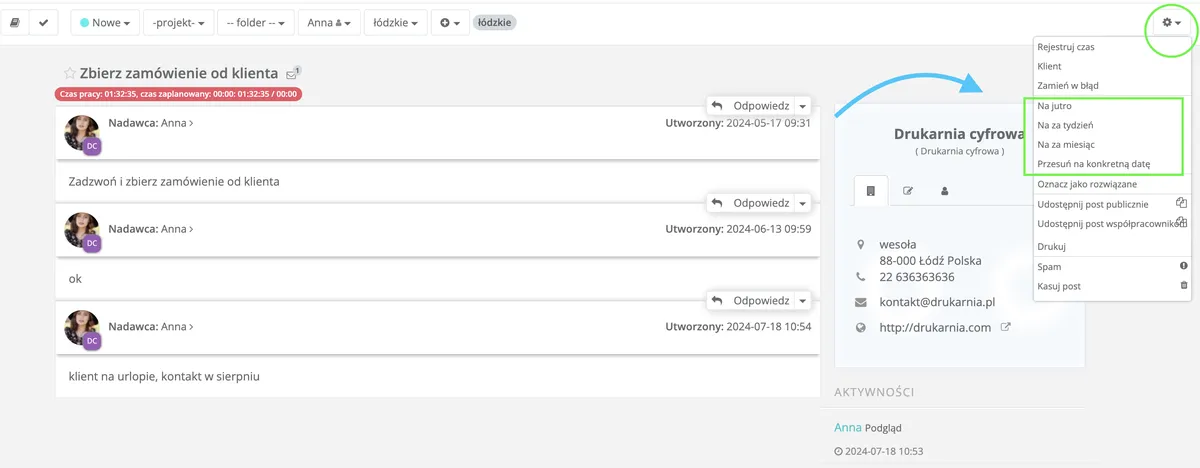
Automatic reminders will help your helpdesk team manage their time and tasks. To make sure nothing slips through, you can activate a reminder about an important deadline, a task to complete, or an email to send to a customer.
In Sugester we have 2 ways to do this:
Keeping customers regularly informed about the helpdesk's work will increase their satisfaction. The helpdesk should inform customers about key moments in the handling of their ticket - receipt, any delays, and closure. This way your users will feel that you remember their problem and are working on a solution.
Using the tools in Sugester, you can contact the customer at every stage of ticket handling:
Some of the issues reported to the helpdesk are simple enough that it's not worth taking up your team's time with them. That's why it's a good idea to provide customers with a knowledge base where you can gradually aggregate answers to common questions. Of course, this won't reduce helpdesk tickets to zero, but it will certainly cut the number of repetitive enquiries. The knowledge base will also be a great source of ready-made answers for the helpdesk team.
You can use the knowledge base to:
You can make the knowledge base publicly available to customers and website visitors, or keep it private - for internal use only, for example.
The undeniable and greatest advantage of a knowledge base is that customers can access it 24 hours a day, 7 days a week, without restrictions, wherever they are. They can find the information they need at any time and, most importantly, return to it whenever they wish.
In Sugester you can create multiple knowledge bases depending on your needs. You can create them in different language versions and publish them on your website. The entry editor allows you to publish articles and guides, add photos and videos.
See also: Company knowledge base - a necessity or an unnecessary detail
Once you've assigned tasks to the helpdesk team, make sure they've been completed correctly. It's good practice to regularly check that the ticket workflow isn't slowing down the helpdesk's operations. Employees should know the criteria by which their work is evaluated and feel that you appreciate their efforts.
Key metrics for a helpdesk include response time, ticket resolution time, and the number of tickets resolved on the first contact. Analysing this data allows you to continuously assess the team's effectiveness.
In Sugester, using the Tickets and Ticket details reports, you can check how many new tickets were received on a given day, how many were resolved, and how many emails were received.
To track team effectiveness, you can also use advanced search in the inbox and the User activity report. This is where you can compare the number of emails sent, tasks created, or calls received for each employee and compare them with other team members.
Your helpdesk is running like a well-oiled machine - incoming tickets are quickly assigned and closed. But are customers happy with the level of service? Add an automatic feedback collection system to your helpdesk and ask customers to rate their interaction with your team.
If you're looking for a quick way to find out what your customers think about you, add Communication rating to your Sugester correspondence.
Regularly collecting customer opinions allows you to continuously monitor their satisfaction level and identify areas that need improvement.
You can also prepare a short survey in Sugester to send to a customer once a ticket is closed. You can use the ready-made NPS survey template or create your own. This will give you valuable information about the helpdesk's effectiveness and quality of service.
See also: Surveys in Sugester - a quick guide for beginners
