
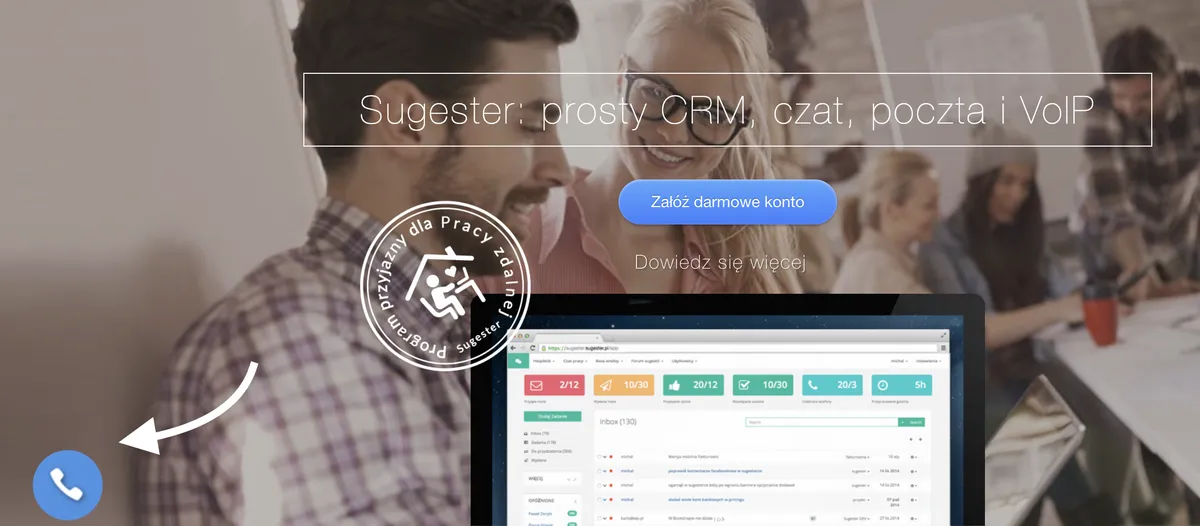
The autocall feature is a must-know for anyone actively using the VoIP module in Sugester. So what exactly is autocall? You have surely seen the phone icon on various websites - the one you click and get a promise of being connected to a consultant within 28, 30, or 60 seconds. That is exactly what autocall is, and Sugester has it too! Every call initiated by clicking "Call me" is logged in Sugester with the appropriate status and a note indicating it is an autocall-type connection.
Is it worth using autocall in your business? Below we give you 3 reasons why it definitely is.
When you are considering buying a new product or service and are not sure about it, you look for someone to help you make the right choice.
From our own experience, most new customers considering Sugester call us first and ask about the things that matter most to them. Most of them use autocall to make that connection - some out of curiosity to see if we really do call back within 30 seconds, and others simply because they prefer quick contact with an advisor without having to click around or send emails.
You can offer the same to your customers - fast advice about your product or service exactly when the customer needs it. By installing the autocall widget on your website, you take the initiative and reach out to the customer. You do not force them to search for a "Contact" page or spend long minutes on hold. For you, this means more sales calls coming in from your website and a higher quality of service.

As potential customers browse one website after another, they are looking for something that catches their eye and makes them stay longer. The autocall widget on your site can be exactly that kind of attention-grabber. How many times have you wondered, seeing a phone icon on a website, whether they really do call back within those 30 seconds? You can intrigue your potential customers in exactly the same way.
Leads, sales opportunities, or simply contact from a customer who wanted to speak with you. Whatever the intent, autocall is a great solution for calling back potential customers who tried to reach you outside your office hours.
The internet is not available only during 8-16 office hours - it simply never sleeps. The National Clearing House analyzed peak online shopping times and found that the highest number of transactions occur in the morning and then again in the evening, once most people have finished their daily responsibilities (source: finanse.wp.pl).
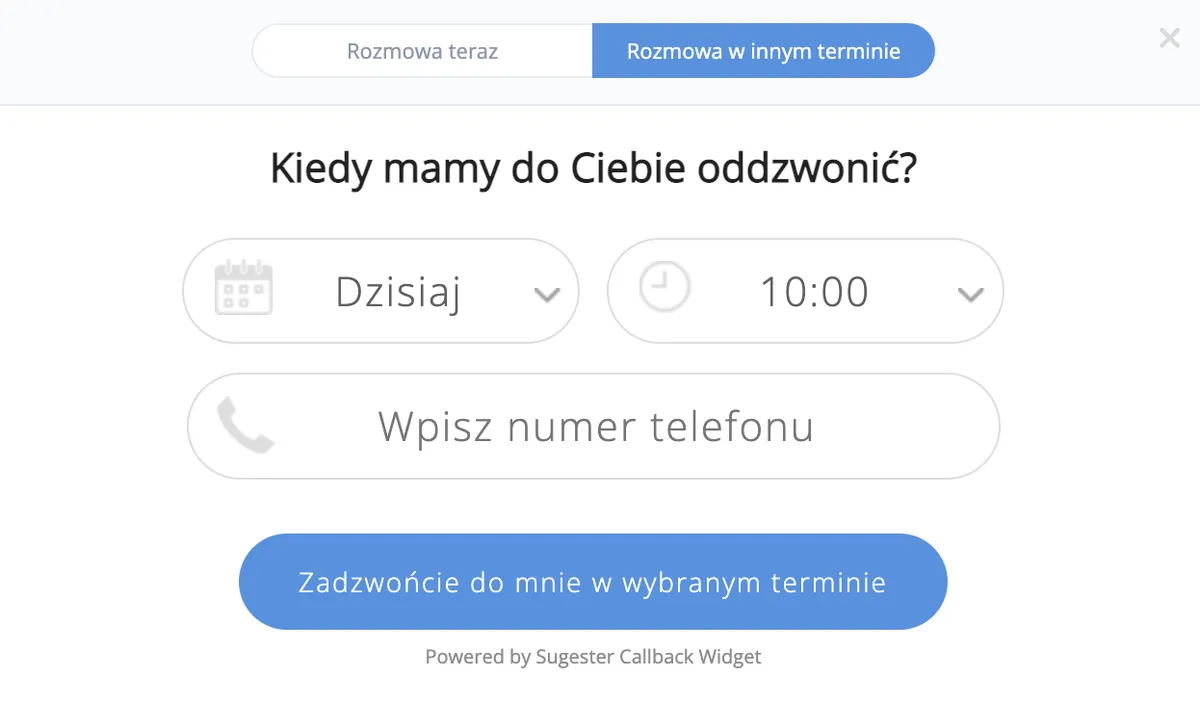
The goal is not to be available 24/7, but to use tools that make it easier to contact customers at a time convenient for them. And that is where autocall comes in again. In addition to the instant callback feature, the widget also offers the option of choosing a specific date and time from a calendar for you to contact the customer. The benefits are mutual - the customer is not discouraged by missing your office hours or finding the line busy, and you do not miss the chance to acquire a new client.
Much has been written about the advantages of chat over email or phone. The truth is that a lot depends on the nature of your business and your target audience. Perhaps your customers primarily contact you by phone or email and are happy with that? That is fine - let them continue. But you can give them an additional tool that will reduce traffic on other channels, serve as an alternative for the younger generation, and also collect information for you outside of office hours.
An active chat widget on your website opens up extra possibilities for customers. The implementation takes just a moment and requires no additional apps to install - and the cost is zero, since the chat module is included in your subscription.
See also: Ideal chat communication - how to keep messages flowing?
Modern customers are demanding and impatient. They want everything right now, which is why response speed is critical.
If a customer is interested in your offer, you should strike while the iron is hot. An active chat window on your site makes it much easier to answer questions in real time, exactly when the customer needs specific information.
According to Bankier.pl, 46% of Polish consumers shop online during working hours. If you make a customer wait for a response - half an hour, an hour, or more - they may forget they even wanted something from you, or turn to a competitor.
Customers are often undecided - they consider, they hesitate. What can you do to strengthen their interest in your offer?
Reach out and draw them into a conversation! Create personalized content in the chat window that intrigues visitors and encourages them to ask about your product or service.
You can also use the "proactive chat" option available in the chat module, where the chat window appears to visitors after a set amount of time and invites them to start a conversation with a consultant.
Statistics show that over 70% of customers are satisfied with their interactions with online stores that use chat. For many people, the ability to talk to a real person is one of the most valuable things a website can offer.
Customers who receive quick and professional service from a chat consultant will have positive associations with your company and will be more likely to come back.
Chat should be an integral part of the sales strategy of every online business. A potential customer who lands on your site may have plenty of questions. With chat, you can address the most important ones right away. A substantive, professional chat conversation allows you to engage the potential customer and earn their trust.
Using the chat module in Sugester, you can save each potential customer who visits your site and transfer their details to the CRM. With a single click after the conversation ends, the potential customer is saved as a new lead in your database.
If the conversation was initiated by an existing customer already in your database, Sugester will display their name based on the email address they entered, along with an active link to their CRM profile. One click takes you to that customer’s card, where you can review all the key information to help close the sale.
Forms in Sugester can be used in many ways - for contact, running surveys, or building a base of new customers.
It is another tool in our system that will help you increase your sales opportunities at no extra cost. All you need to do is activate the Forms module in your account settings and create templates tailored to your needs.
Creating a form takes just a few clicks. You can use a ready-made template or build a form from scratch to match your current business needs.
Even if you already have forms on your website, there is nothing stopping you from adding another one from Sugester. Why? Because all the data submitted by a potential customer through the form is saved directly in the Sugester CRM - and that is its main advantage.
Sugester offers several options when configuring forms in the system. One of them is mapping form data to a customer record. What does this mean? That every visitor who fills out the form on your site will be automatically saved in the CRM as a new customer.
By placing such a configured form on your site, you collect new contacts that you can use later in marketing activities. You also save your staff the work of manually transcribing or entering data from the form - every piece of information a customer enters can be automatically saved in the corresponding CRM field.
When a customer fills out the form, their data is automatically synced with the CRM database. You can use additional options in Sugester, such as tags or filters, to group contact data by location, buyer behavior, and more. This way you can equip your sales teams with the right data so they can act precisely when the customer is most interested.
If you place a Sugester form on a page where a customer can download a free gluten-free diet ebook, as soon as they leave their email address the system will add them to the CRM with a tag like "gluten-free". In the future, when you are preparing a gluten-free diet promotion, you can send a mailing about the discount to all potential customers who downloaded the ebook.
This article has covered just a few of the key benefits of activating additional modules on your Sugester account. As we promised at the outset, none of them require extra costs, additional applications, or complex configuration changes. Everything is available as part of your Sugester subscription.
You can start making improvements by implementing just one of the described tools, or activate all of them at once. Nothing is holding us back! :)
